Development & beta · Totalo point of sale
For shops, stands, salons, and restaurants.
Keep the counter connected to the business. Totalo is developing point of sale for Mac, iPhone, and iPad, alongside its invoicing and client records.
Totalo is rolling out to beta users. POS features are working in development; access depends on the beta build. General App Store availability and tested hardware details will be announced separately.
Product image placeholder
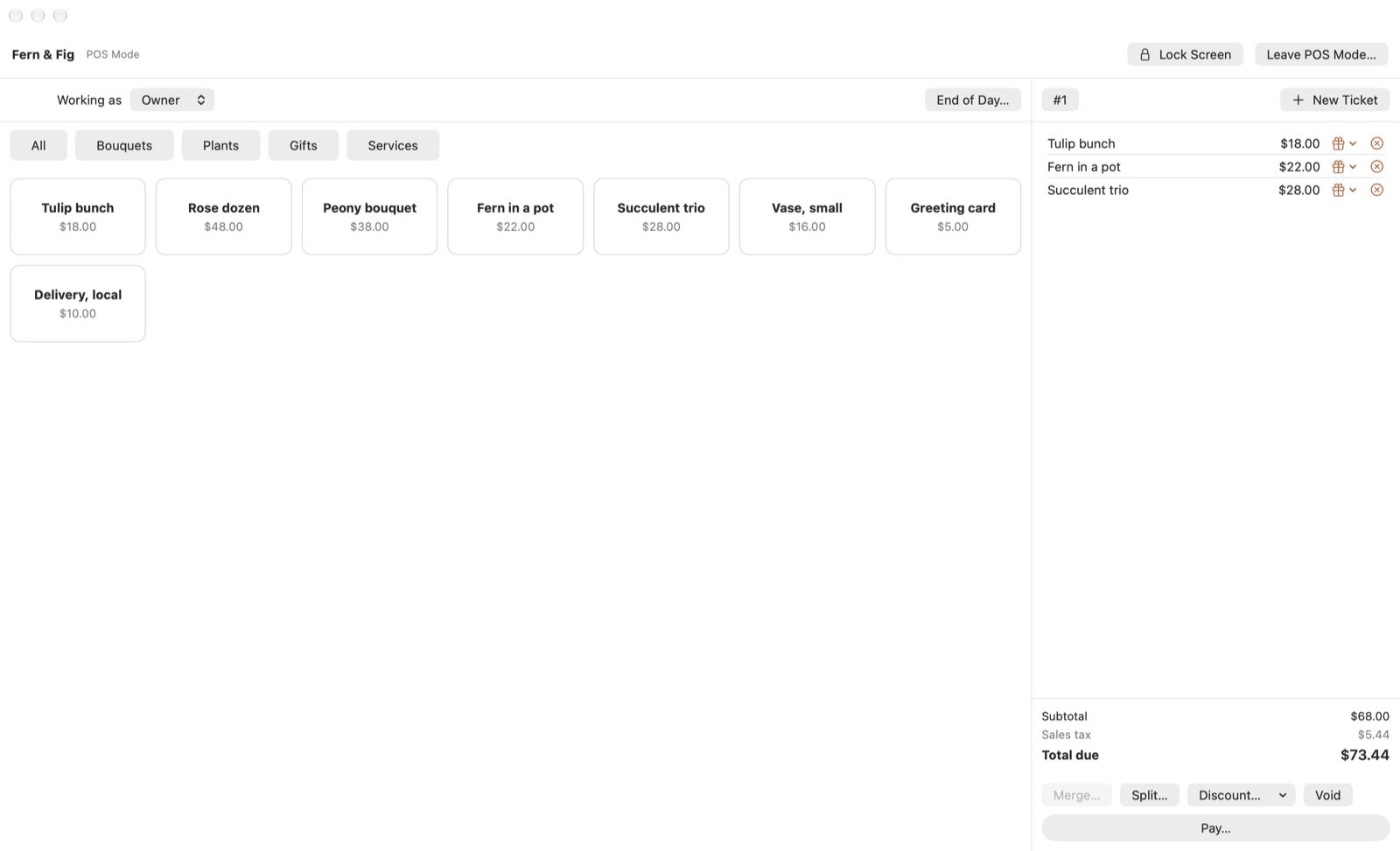
From ticket to completed sale
A real counter workflow showing items, the total, and the completed sale.
On the road
A merch stand that travels with you.
Plan a counter for shirts, records, and other merchandise at shows, markets, and events. The connected development setup uses a Mac hub, iPad or iPhone terminals, and a travel router providing their shared local network.
Bring AC power for the hub, router, chargers, and any printer. Local Wi-Fi and internet access are different: a router can connect your devices without providing an internet connection. The development cash-and-ticket workflow does not require internet access; future integrated card payments depend on the processor and its connectivity requirements.
Check power, local device discovery, pairing, and reconnection at the venue before relying on this setup. No router or printer model is certified here.
At your regular location
For barbers and stylists, from appointment to counter.
Keep client details, service descriptions, visits, and invoice records together. The development POS workflow adds counter tickets for services and products, with the business choosing whether to accept tips.
For a connected salon or barbershop, the intended setup puts a Mac hub and iPhone or iPad terminals on the same fixed Wi-Fi network. Staff roles and PINs help identify who is working at the counter. Device pairing is separate from personal iCloud synchronization.
A focused menu
A burger stand, with the order kept together.
The development counter supports menu items, add-ons, open tickets, cash, and change. Keep the burger, extras, and drinks on the same ticket, then review the day's cash and tips.
A permanent stand can use its fixed local network. An event stand can use a travel-router setup with suitable power. Kitchen ticket printing is part of the development work; printer compatibility and the full order-to-print workflow must be tested before use.
Across the counter
A restaurant with a shared view of the work.
The development connected workflow brings a Mac hub and iPad or iPhone terminals together on the restaurant's local network. Development includes open tickets, split payments, tips, and routing printed tickets by menu category to the kitchen or bar.
Updates need to travel between devices. A disconnected terminal may have changes waiting to sync, and conflicting ticket edits need a person's review. Table service, seat and course handling, split checks, and end-of-day reports have been exercised in development builds. Real hardware verification continues; online ordering is not part of this workflow.
Know what connects to what.
- One device
- A standalone counter is part of the development POS offering. It does not need a Mac hub to connect to other terminals when there are no other terminals.
- Several devices
- The development connected setup uses a Mac as the hub, with iPads and iPhones as terminals on the same reachable local network. A guest network that isolates devices may prevent them from communicating.
- Internet and payments
- Offline cash and tickets are the intended local-network workflow. Integrated card-payment availability depends on the build and processor; it is not confirmed here. Recording a payment taken on a separate reader is not verification that the reader processed it.
- Hardware
- Receipt printers, cash drawers, card readers, and network setups need hands-on checks. No tested hardware list is available yet.
Get Totalo through Apple.
The website helps you explore Totalo and find the right setup. Download availability will be announced here, with acquisition through the Apple App Store and purchases handled in the app through Apple. There is no website checkout.
See App Store availability ↗ · Read support information ↗Hardware being tested
Our first thermal printer and cash drawer have been purchased for testing.
Follow the hardware checks ↗