
Totalo Display In development
Your business, on the big screen.
A menu at the counter. A welcome in the lobby. An order number that’s ready to collect. Totalo Display brings the useful details into view.
See how it connects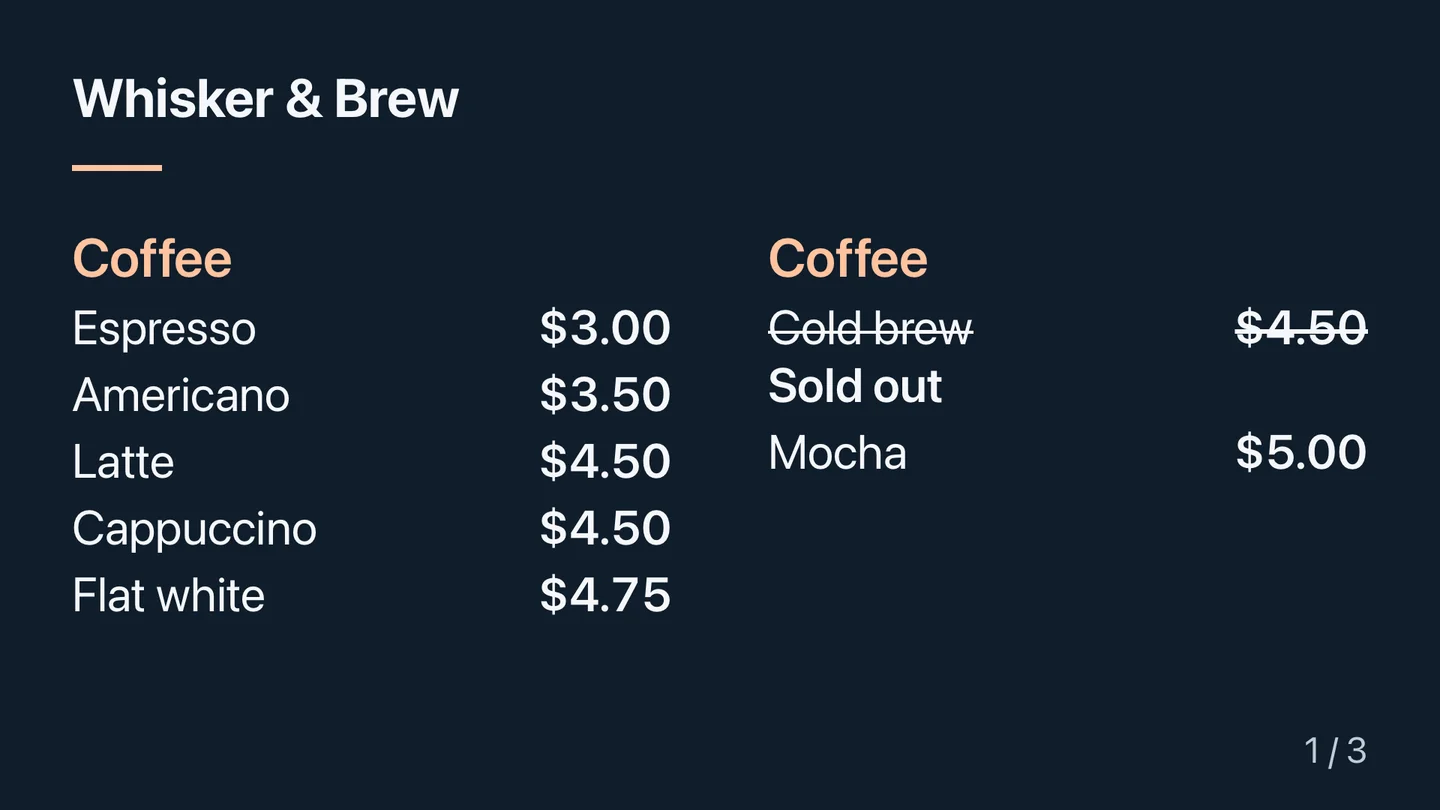
A menu worth looking up for.
Put items and prices where customers can see them before they order.
Apple TV + your Mac
A screen in the room.
A place to manage it.
Designed for a compatible Apple TV connected to your business network. Set up and manage the display from Totalo on your Mac.
- 01
Open Totalo Display.
Connect the Apple TV to your screen and open the app.
- 02
Pair it from your Mac.
Enter the code shown on the TV in Totalo’s Signage settings.
- 03
Choose what it shows.
Assign the screen and select a menu design from your Mac.
Before you plan your setup.
Can I use Totalo Display today?
Totalo Display is in development. Pairing and sample boards are working locally; availability in a beta build must be confirmed. It is not yet available publicly on the App Store. We’ll link to Apple when a verified listing is ready.
What hardware and features should I plan for?
The current Apple TV app targets tvOS 17 or later and pairs with Totalo on a Mac over the business network. Confirm compatibility with your Apple TV before planning an installation. Menu readability, portrait output and physical-TV testing are still being refined.
Menu, welcome and order-status designs are shown here. Promo-media management and a theme gallery are still in development; the examples do not promise those features are available in your build.
Explore the hardware test program