
Invoices & time
Bill your hours. Send the invoice you would have made yourself.
Totalo is for people who sell their time and their skill: designers, writers, photographers, developers, consultants.
- Clock jobs and breaks; round hours your way
- Invoices with no Quantity or Rate columns, your fonts and wording
- Statements for late accounts, sent by you
Features marked as the current beta build are in the TestFlight beta now; general App Store availability will be announced separately.
See an invoice for creative work ↗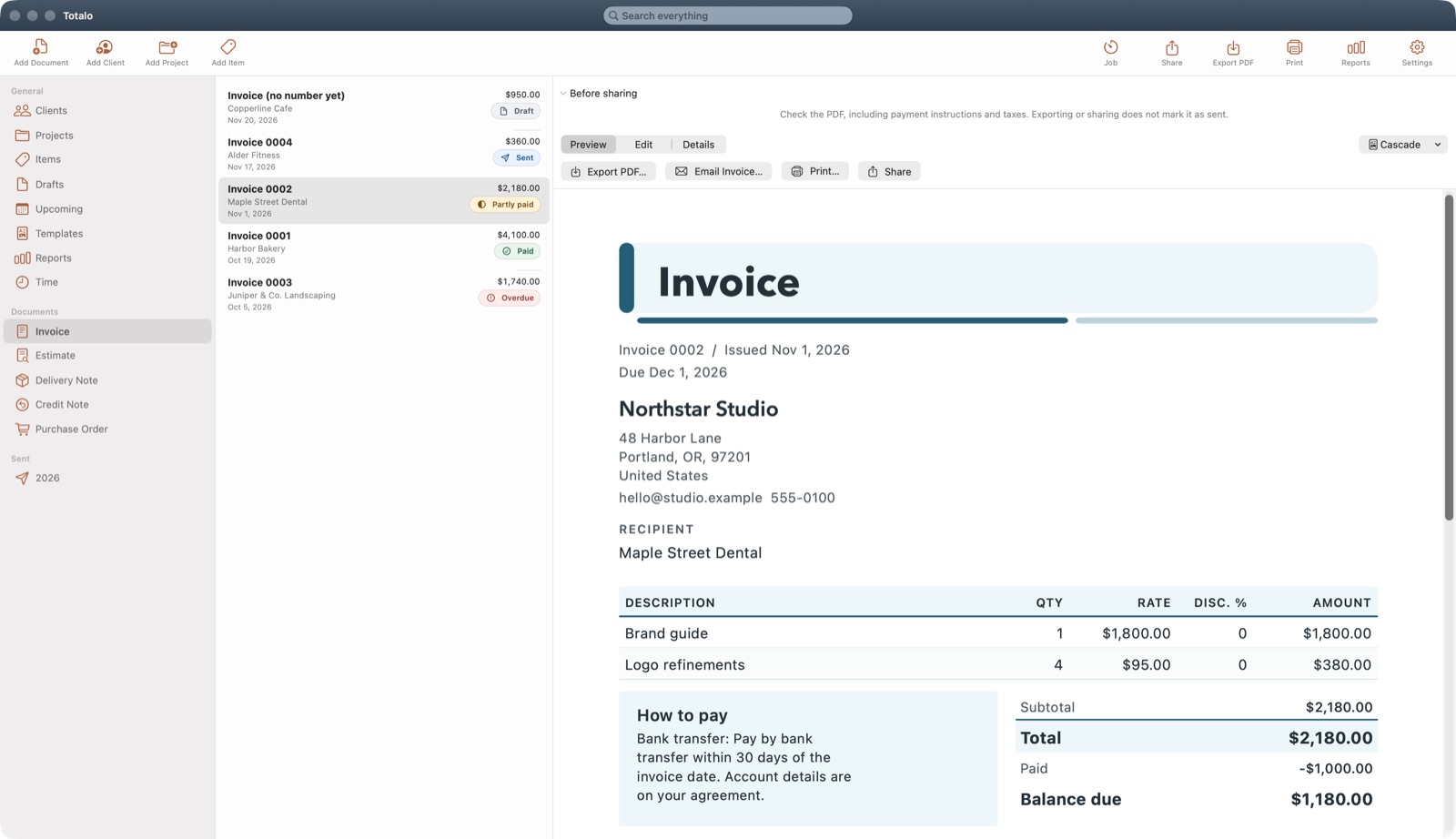
Clock in, clock out
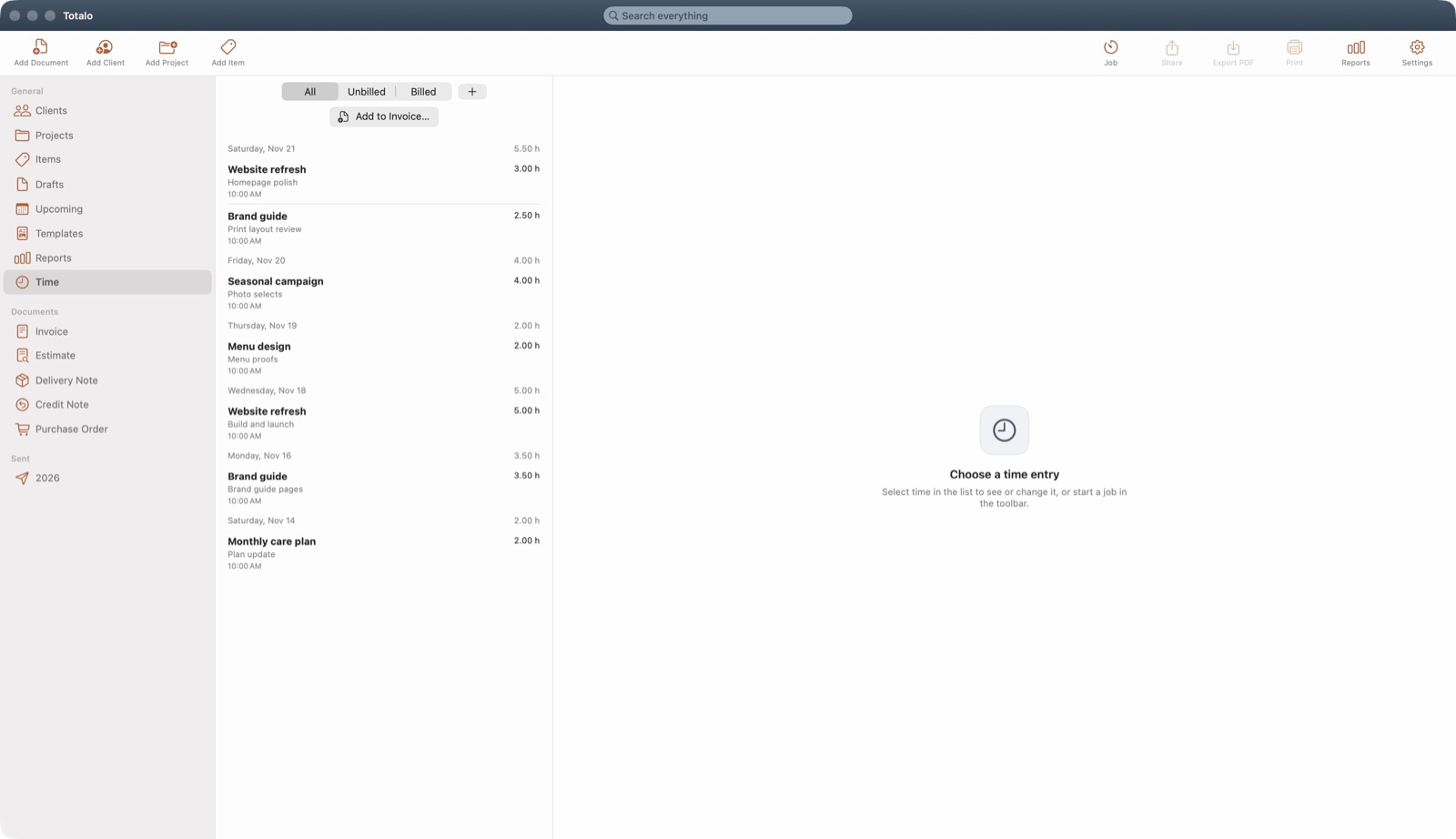
Start a job for a client, project or invoice, take a break when you need one, and end the job. Breaks are kept as their own entries and are never billed. Hours can be rounded the way you charge, to the minute or to any step you choose, and rated by project, client or your default.
An invoice that looks like yours In the current beta
A services invoice can show just the work and its price: switch off the Quantity and Rate columns, type your own table headings and a balance line such as “Total due by” and the due date, and choose any font installed on your Mac. Attach the job itself, a PDF or pictures, and it follows the invoice in the same file.
The same details every time In the current beta
Give a client their own intro text, such as this year's purchase order number, their own closing text and their own invoice design. They fill in each new document for that client, and never over words you typed.
Chasing late payments without the awkwardness In the current beta
See every client with a past-due invoice, oldest first, and prepare an account statement for each in your invoice design. Totalo opens the message in your mail app for you to check and send; it never sends anything itself. Several open invoices can go in one message.
On every Apple device you use
Start a job on your iPhone, check it on your Apple Watch, finish the invoice on your Mac. Siri and Shortcuts can start and end a job or tell you what you have tracked today. Records stay on your devices and in your own iCloud.
Questions?
Read a few useful answers or ask us. See all features · Apple devices